

What Is The Cat5e Max Speed?

Understanding what Cat5e cable can support makes it easier to decide whether it is the right choice for your home or business network. Although newer Ethernet cable categories are available, Cat5e remains widely used in homes, offices, security systems, and commercial networks because it provides dependable Gigabit performance at an affordable price.
Older Cat5 cable can still be found in many existing installations, but upgrading to Cat5e can provide improved performance, reduced crosstalk, and support for faster network speeds. You can also learn more about Cat5 cable speed and performance before comparing it with Cat5e.
In this guide, we will explain the maximum speed of Cat5e cable, how distance affects performance, what a 350 MHz rating means, and whether Cat5e can support 2.5 Gigabit and 5 Gigabit Ethernet. New to wired networking? Start with our guide explaining what an Ethernet cable is and how it connects devices within a network.
What Is the Maximum Speed of Cat5e Ethernet Cable?
Cat5e cable supports network speeds up to 1 Gbps at distances up to 328 feet (100 meters). Under the ANSI/TIA 568.2-D cabling standard, Cat5e is officially rated for a bandwidth of 100 MHz, which is the minimum performance required to meet the category specification.
While the official standard remains 100 MHz, many modern manufacturers engineer and test their Cat5e cables to perform at frequencies up to 350 MHz. Although this higher frequency rating does not increase the official 1 Gbps Ethernet specification, it demonstrates additional performance margin, improved signal integrity, and the potential to support newer networking technologies such as 2.5GBASE-T and 5GBASE-T under the right installation conditions.
These standards give manufacturers, installers, and customers a consistent performance baseline. In practical terms, a properly manufactured and installed Cat5e cable should reliably support Gigabit Ethernet across a full 100 meter channel while providing dependable performance for today's residential and commercial networks.
Cat5e Speed and Distance at a Glance
| Cat5e Specification | Performance |
|---|---|
| Maximum Standard Speed | 1 Gbps |
| Standard Bandwidth | 100 MHz |
| Common Enhanced Test Frequency | Up to 350 MHz |
| Maximum Channel Length | 328 feet (100 meters) |
| Maximum Permanent Link | 295 feet (90 meters) |
| Patch Cable Allowance | 33 feet (10 meters) |
| 2.5GBASE-T Support | Possible with compatible hardware |
| 5GBASE-T Support | Possible with compatible hardware |
Maximum Cat5e Speed and Distance
The maximum recommended channel length for Cat5e cable is 328 feet, or 100 meters. This total channel length generally includes up to 295 feet, or 90 meters, of permanent cable installed through walls, ceilings, cable trays, or conduit. The remaining 33 feet, or 10 meters, is reserved for patch cables at each end of the connection.
A typical structured cabling channel may include a patch cable connecting a computer or other device to a wall outlet, the permanent Cat5e cable installed inside the building, a patch panel or keystone jack, and another patch cable connecting the network to a switch or router.
Staying within the recommended distance helps the cable maintain reliable signal transmission and meet its expected performance. Excessively long cable runs may increase insertion loss, reduce signal strength, and make the connection more vulnerable to interference.
If your connection must travel beyond the recommended channel length, review our guide on how to extend Ethernet cable without creating an unreliable network run.
For a properly installed full length channel, 1 Gbps remains the standard speed installers and network owners should expect from Cat5e cable.
For permanent indoor installations, select a cable with a jacket rating that matches the installation environment. Our Cat5e riser cable is designed for in wall vertical runs and general purpose commercial installations outside of air handling spaces.
Not sure which indoor jacket rating your installation requires? Read our comparison of Cat5e riser vs plenum cable.
Why Are Some Cat5e Cables Rated to 350 MHz?
The official Cat5e standard requires performance through 100 MHz, but many modern Cat5e cables are advertised and tested to 350 MHz. This can cause confusion because MHz and Ethernet speed are related, but they are not the same measurement.
MHz measures the frequency range over which the cable has been tested. Ethernet speed, such as 1 Gbps, measures the amount of data the network can transmit per second.
A Cat5e cable tested to 350 MHz does not automatically increase a network connection from 1 Gbps to a faster speed. Instead, the higher frequency rating shows that the cable has been tested beyond the minimum Cat5e requirement.
This additional performance margin may provide better signal integrity, improved resistance to crosstalk, more installation headroom, greater consistency across longer runs, and better support for higher speed Ethernet technologies under suitable conditions.
The actual performance of any network still depends on the complete channel. The cable, connectors, patch panels, keystone jacks, switches, routers, network adapters, and installation quality all play a role.
A high performance Cat5e cable cannot make an older 1 Gigabit switch operate at 2.5 Gigabit speeds. Every component in the connection must support the desired network speed.
Ready to shop for Cat5e cable? Explore our complete collection of Cat5e bulk Ethernet cables for residential, commercial, security, and structured cabling installations.
Can Cat5e Support 2.5GBASE-T and 5GBASE-T?
Cat5e was originally standardized around Gigabit Ethernet, but newer networking technology has extended the useful life of many existing Cat5e installations.
The IEEE 802.3bz standard introduced 2.5GBASE-T and 5GBASE-T, allowing compatible networks to operate at 2.5 Gbps or 5 Gbps over certain installed twisted pair cabling.
These speeds were developed in part to provide more network capacity without requiring every existing Cat5e cable installation to be replaced. This is especially useful for wireless access points, workstations, network attached storage devices, and other equipment that may need more than 1 Gigabit but do not require a full 10 Gigabit connection.
Cat5e may support 2.5GBASE-T and 5GBASE-T when the switches and network adapters support the desired speed, the cable is properly manufactured and terminated, the total channel remains within recommended distance limits, and crosstalk and electrical interference are adequately controlled.
However, higher speeds should not be treated as guaranteed on every existing Cat5e installation. Older cable, poor terminations, excessive untwisting, damaged conductors, electrical interference, or low quality copper clad aluminum cable can all reduce performance.
For reliable planning, Cat5e should be viewed as a 1 Gbps cable by standard, with 2.5 Gbps and 5 Gbps available as additional possibilities when the cable and connected hardware can support them.
Can Cat5e Support 10 Gigabit Ethernet?
Cat5e is not the recommended cable category for a new 10 Gigabit Ethernet installation. Some short, high quality Cat5e connections may establish a 10 Gigabit link under favorable conditions, but the result is not something installers should rely on for consistent structured cabling performance.
10GBASE-T places much greater demands on cable construction, crosstalk control, terminations, and overall channel quality. For new 10 Gigabit installations, Cat6A is generally the preferred choice because it is designed to support 10 Gbps across the full 328 foot channel.
Cat6 may also support 10 Gigabit Ethernet over shorter distances, depending on installation conditions and interference levels.
- Cat5e: Dependable 1 Gigabit networks
- Cat6: Additional bandwidth and greater performance headroom
- Cat6A: Full distance 10 Gigabit Ethernet
What Does Cat5e Speed Mean in Real World Use?
A 1 Gbps Ethernet connection can transmit up to 1,000 megabits per second. Since there are eight bits in one byte, the theoretical maximum file transfer rate is approximately 125 megabytes per second.
That means a 1 gigabyte file could theoretically transfer in approximately eight seconds. In actual use, transfer speeds are normally lower because of network overhead, equipment performance, storage speed, traffic, and other factors.
Even with these real world limitations, Cat5e provides more than enough speed for many common network applications.
| Ethernet Connection | Approximate Theoretical Transfer Rate |
|---|---|
| 100 Mbps | 12.5 MB/s |
| 1 Gbps | 125 MB/s |
| 2.5 Gbps | 312.5 MB/s |
| 5 Gbps | 625 MB/s |
It is also important to remember that the speed of the Ethernet cable does not determine the speed of your internet service. A Cat5e cable may support 1 Gbps, but a 300 Mbps internet plan will still provide a maximum internet speed of approximately 300 Mbps.
The same network may still use the full Gigabit connection for local activities such as transferring files between computers, backing up files to a server, or accessing network attached storage.
Understanding Cat5e Test Reports and Specifications
A Cat5e test report includes much more than speed and frequency. These reports measure the electrical characteristics that determine whether a cable can transmit data reliably.
Below is an example of a test report from our unshielded Cat5e plenum cable. Plenum rated cable is designed for installation in air handling spaces where a CMP rated jacket is required. The report shows how the cable performs across different frequencies and transmission measurements.

Insertion Loss
Insertion loss measures how much signal strength is lost as the signal travels through the cable. Longer cable runs and higher frequencies generally increase insertion loss. Lower insertion loss helps receiving equipment detect the transmitted signal more accurately.
Near End Crosstalk
Near End Crosstalk, commonly called NEXT, measures unwanted interference between wire pairs near the transmitting end of the cable.
Ethernet cables contain four twisted pairs. Proper twisting helps prevent the signal from one pair from interfering with another. Strong NEXT performance is important for reliable high speed data transmission. You can learn more in our guide explaining what Near End Crosstalk is and why it matters.
Attenuation to Crosstalk Ratio
Attenuation to Crosstalk Ratio, or ACR, compares the strength of the received signal to the level of crosstalk interference. A healthy performance margin means the intended signal remains distinguishable from unwanted noise.
Return Loss
Return loss measures how much of the transmitted signal is reflected back toward the source. Reflections may be caused by inconsistent cable construction, damaged conductors, improper connectors, poor terminations, or changes in impedance.
Better return loss performance generally indicates a more consistent cable and termination system.
Why These Measurements Matter
A cable may look fine from the outside while failing important transmission requirements. That is why electrical testing, certification, conductor material, manufacturing consistency, and proper installation matter.
Selecting cable that meets or exceeds recognized standards gives installers greater confidence that the network will perform reliably after installation.
Practical Applications of Cat5e Cable
-
Internet connections: Cat5e can support internet plans up to 1 Gigabit when connected to compatible equipment. It is suitable for most cable, fiber, and fixed internet connections used in homes and small businesses.
-
Video streaming: A Gigabit Ethernet connection provides more than enough capacity for HD and 4K video streaming. A wired connection can also provide greater stability than WiFi in areas affected by congestion, distance, or physical obstructions.
-
Online gaming: Cat5e is suitable for gaming consoles and computers. Network cable category usually has less effect on gaming latency than the internet connection, network equipment, server location, and overall network congestion.
-
Video conferencing: Cat5e supports video conferencing platforms, cloud applications, voice calls, and remote work systems. A wired connection can help maintain consistent call quality when several wireless devices are competing for bandwidth.
-
Security cameras: Cat5e is commonly used for IP cameras and network video recorder systems. It can carry both data and Power over Ethernet when the cable and connected equipment are designed for the application.
-
Power over Ethernet devices: Cat5e may be used for wireless access points, VoIP phones, IP cameras, access control devices, intercom systems, and network sensors.
-
Home and small business networks: For networks that primarily use 1 Gigabit switches, routers, computers, printers, cameras, and internet service, Cat5e remains a dependable and cost effective option. Planning a residential installation? Our guide to building a home network with Cat5e cable covers equipment, cable planning, and installation considerations.
Can Cat5e Cable Be Installed Outdoors?
Standard indoor Cat5e cable should not be installed outdoors or underground unless its jacket is specifically rated for the environment. Sunlight, moisture, temperature changes, and direct ground contact can damage cable that is not designed for outdoor use.
For exterior network connections, security cameras, detached buildings, gate systems, outdoor wireless access points, and underground conduit, use a cable designed for the application. Explore our Cat5e direct burial and outdoor cable options for installations exposed to moisture, sunlight, or changing outdoor conditions.
Always confirm whether the cable is approved for direct burial, outdoor conduit, UV exposure, or another specific installation method before beginning the project.
Does Shielded Cat5e Provide Faster Speeds?
Shielded and unshielded Cat5e cable can both support standard Gigabit Ethernet. The primary difference is not speed, but protection from electromagnetic interference.
Unshielded twisted pair cable, or UTP, is the most common choice for homes, offices, and other normal network environments. Shielded cable may be useful in environments with higher electrical noise, including areas near motors, generators, large electrical equipment, fluorescent lighting systems, power cables, and industrial machinery.
Shielding must be installed and grounded correctly. An improperly installed shielded system may not provide the expected benefit. For most residential and standard commercial applications, properly installed UTP Cat5e cable provides reliable performance.
Does Cat5e Patch Cable Have the Same Speed?
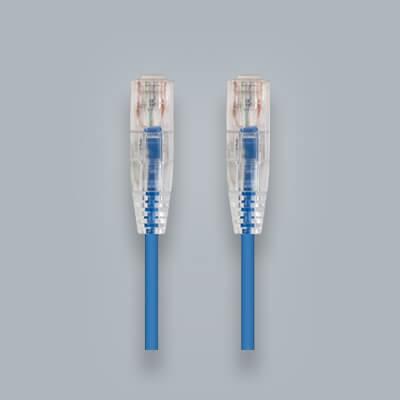
Cat5e patch cables can support speeds up to 1 Gbps when they meet the category requirements and are used within the recommended channel length.
Patch cables are generally manufactured with stranded conductors because stranded cable is more flexible and better suited for connections between computers, routers, switches, patch panels, wall plates, and other network equipment. Explore our Cat5e stranded CM cable for flexible patch cable assembly and equipment connection applications.
Permanent cable installed inside walls is normally made with solid conductors. Solid cable provides lower electrical resistance and is better suited for longer fixed cable runs.
- Use solid Cat5e cable for permanent building wiring.
- Use stranded Cat5e patch cables for equipment connections.
- Use Cat5e rated connectors throughout the channel.
- Follow proper termination and installation practices.
Is Cat5e Still Good Enough?
For many networks, yes. Cat5e remains a practical solution for Gigabit Ethernet, internet access, streaming, gaming, video conferencing, security cameras, VoIP phones, and other common applications.
You may want to consider Cat6 or Cat6A instead when you are installing entirely new cable, expect to use 10 Gigabit Ethernet, want greater performance headroom, or need cabling that will be difficult to replace later.
For a more detailed comparison, read our guide to the difference between Cat5e and Cat6 cable.
If your existing network needs more performance headroom, see our step by step guide on upgrading from Cat5e to Cat6.
Cat5e is not obsolete, but the best cable category depends on your performance goals, budget, equipment, and expected service life.
Common Cat5e Speed Questions
What is the maximum standard speed of Cat5e?
Cat5e is standardized to support up to 1 Gbps over a maximum channel distance of 328 feet, or 100 meters.
What is the bandwidth of Cat5e cable?
The official Cat5e bandwidth requirement is 100 MHz. Many modern manufacturers test Cat5e cable to higher frequencies, including 350 MHz, to provide additional performance margin.
Does 350 MHz Cat5e provide faster internet?
Not automatically. A 350 MHz rating indicates that the cable has been tested beyond the minimum frequency requirement. Internet speed still depends on the service plan, network equipment, cable quality, and complete installation.
Can Cat5e support 2.5 Gigabit Ethernet?
Cat5e may support 2.5GBASE-T when the installed cable and connected network equipment meet the necessary requirements.
Can Cat5e support 5 Gigabit Ethernet?
Cat5e may support 5GBASE-T under suitable conditions, but performance depends on cable quality, installation, distance, interference, and compatible hardware.
Is Cat5e good for gaming?
Yes. Cat5e can provide a stable Gigabit wired connection for gaming. The internet provider, router, network congestion, and game server normally have a greater effect on latency than the difference between Cat5e and a higher cable category.
Can Cat5e support Gigabit fiber internet?
Yes. Cat5e can support a 1 Gigabit fiber internet connection when the router, switch, network adapter, and other equipment support Gigabit Ethernet.
What is the maximum length of Cat5e cable?
The maximum recommended channel length is 328 feet, or 100 meters. This usually includes 295 feet of permanent cable and 33 feet of combined patch cables.
Is Cat5e better than Cat5?
Yes. Cat5e was designed to improve Gigabit Ethernet performance and reduce crosstalk compared with older Cat5 cable.
Should I install Cat5e or Cat6?
Cat5e is suitable for cost effective Gigabit networks. Cat6 provides more bandwidth and greater performance headroom, making it a strong choice for new installations and networks that may need faster speeds in the future.
Conclusion
Cat5e cable supports a standard maximum network speed of 1 Gbps over distances up to 328 feet, with an official bandwidth requirement of 100 MHz. Many modern Cat5e cables are tested up to 350 MHz, providing additional performance margin above the minimum category requirements.
With compatible hardware and a properly installed cable channel, Cat5e may also support 2.5GBASE-T or 5GBASE-T. However, dependable Gigabit Ethernet remains the standard performance buyers and installers should expect.
For homes, offices, security cameras, PoE devices, gaming systems, video streaming, and general business networks, Cat5e continues to provide reliable performance and excellent value.
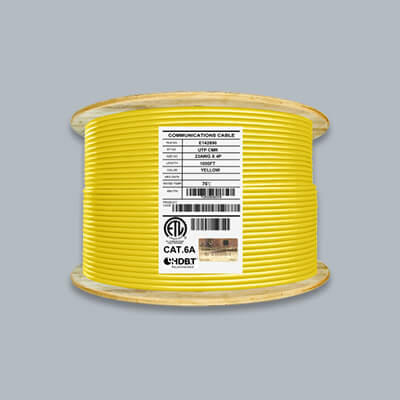
Explore our complete selection of Cat5e bulk Ethernet cable, including Cat5e riser cable, Cat5e plenum cable, Cat5e stranded CM cable, and Cat5e direct burial and outdoor cable.
Happy Cabling!

My house is wired with cat5e and my Xbox is hard wired to a switch that connects all my rooms then router and modem. It gets 1276 Mbps dl and 800 upload. Not sure why everyone says cat5e can only do a gig.
Hello Robert, Thank you for the comment. With the current cable you have in your house you should be able to get up to gigabit. Cat5e is rated for 1,000mbps so you should be able to get the 200 mbps you are offered. Cat5 is actually rated for 100mbps and Cat5e is rated for up to gigabit. Check out this article when you have a chance as well: https://infinity-cable-products.com/blogs/performance/cat-5-cable-speed-explained
When our house was built in 2004 they installed a structured wiring system that included Cat5e throughout the house. I have our PC connected with a Ethernet cable to one of the outlets in the office. Our internet provider is MetroNet who transmits over fiberoptic cable directly to the modem in the cabinet of the structured wiring system. When I ran a speed test I only got a Down Load of 96.68 and an Up Load of 94.48. MetroNet said that with the Cat5e cable I can only get up to 100 mps. When I signed up with them they were offering 200 mps service, which I selected. So my question is – should I be able to get 200 mps with the Cat5e cable I have in the house?